
How to Disable Apple CarPlay: Your Guide to Turning It Off
by AutoExpert | 15 July, 2025
Look, Apple CarPlay is everywhere these days. Nearly every car rolling off the lot has it, and most people seem to love the whole iPhone-meets-dashboard thing. But here's the deal - sometimes you just want it gone.
Maybe the constant notifications are driving someone crazy. Maybe they're in a rental and don't want their personal stuff floating around. Or maybe they just miss the good old days when cars had actual buttons instead of trying to be giant iPhones on wheels.

Whatever the reason, turning off CarPlay isn't rocket science. It just takes knowing where to poke around in the settings.
The Real Talk on CarPlay
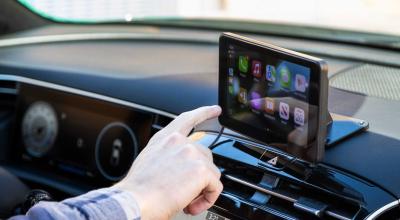
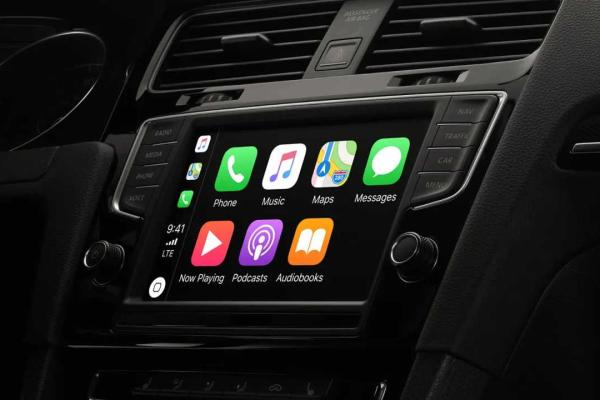
CarPlay basically turns the car's screen into a bigger iPhone. People can make calls, send texts, navigate, and blast music without actually touching their phone. Siri handles the voice stuff, which is supposed to keep everyone's eyes on the road.
The system works with a crazy number of cars now - over 800 models from 80+ manufacturers. It's got all the usual suspects: phone calls, messaging, maps, music, calendar reminders, and even this Car Keys thing that lets people unlock their car with their phone.

Sounds great on paper, but real life? Sometimes it's just too much.
Two Ways Out
Getting rid of CarPlay depends on what someone's after. Want to ditch it from one specific car but keep it for others? Or go nuclear and shut it down completely? Here's how both work.
Kicking it out of one car: Jump into iPhone Settings, hit General, then CarPlay. Find the car that's been acting up and tap "Forget This Car." Done.
Going full scorched earth: Settings on the iPhone, then Screen Time, then Content and Privacy Restrictions. Hit Allowed Apps and flip CarPlay to Off. Now it's dead across the board.
Why People Bail
Truth is, CarPlay isn't for everyone. Some folks genuinely prefer whatever system came with their car. Others find all those app icons and notifications more distracting than helpful, even with voice control doing the heavy lifting.
Privacy freaks (and honestly, good for them) don't want their personal data hanging around in rental cars or when they sell their ride. And let's be real - technology breaks. Sometimes the only fix is the classic "turn it off and hope for the best" approach.
Getting Back In
If someone changes their mind later, reconnecting isn't a big deal. Plug in a Lightning cable for wired setups, or mess around with Wi-Fi settings for wireless. The car usually walks people through it with prompts and stuff.
The whole thing boils down to this: CarPlay works great for tons of people, but it's not a life sentence. A few taps in the right place, and anyone can go back to the stone age of actually using their car's built-in system. Sometimes that's exactly what people need.