Liquid Glass & Video Streaming: 5 Newest Apple CarPlay Features in iOS 26
by AutoExpert | 28 January, 2026
The last six months have been pretty solid for Apple CarPlay users. Apple's been cranking out updates for its car platform ever since word got out that they killed Project Titan, their whole autonomous car thing.
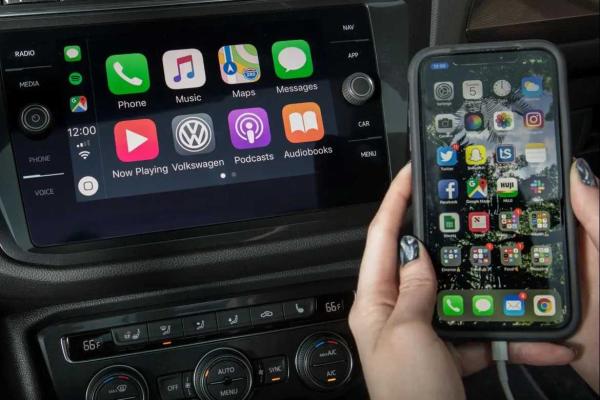
Now that the car project's done, Apple's been focusing hard on upgrading CarPlay. Not just with iOS 26 that dropped last September, but also with iOS 26.1 and iOS 26.2. What's really interesting is that people who own high-end Aston Martins can get CarPlay Ultra, which has all the iOS 26 features but takes over the entire vehicle system instead of just the screen in the dash. Here are some of the best CarPlay features Apple's added lately that you can use right now, including better notifications, more widgets, and a whole new look.
Liquid Glass
With iOS 26, Apple rolled out this new Liquid Glass design. Biggest change to the iPhone interface since iOS 7 like a decade ago. Apple says it's "instantly familiar" while making icons, interactions, and apps feel way more fluid and expressive.
What's cool about Liquid Glass is how it handles reflections and light on the screen. Apple designed these changes to help you focus on what's actually important. For something like CarPlay where you need to keep your eyes on the road, this new version makes everything simpler and less distracting.
Liquid Glass and iOS 26 also brought some other nice touches like a new Clear icon view for apps and wallpapers that switch between dark and light modes. Plus, the iOS 26.1 update fixed that annoying bug where iPhone 17 users couldn't connect properly to Apple CarPlay. Apple's squashed a bunch of bugs over the past few months, but that one was really noticeable. After all, what's the point of buying a new iPhone if CarPlay works worse than before?
New Notification System and Messages Upgrades
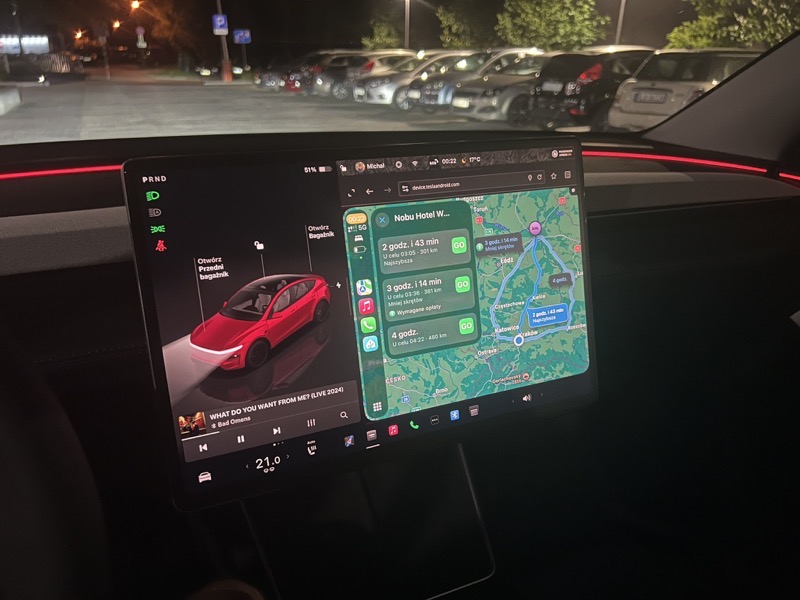
Thanks to Liquid Glass, Apple completely redid how notifications work in CarPlay. Like, an incoming call used to take over your whole screen. Now it just pops up as a small notification at the top of the display so it doesn't cover your navigation. Messages and other alerts are more compact too. iOS 26 also added features to block unknown callers.
For iMessage, Apple made some big improvements. Besides filters for spam messages, you can finally reply to texts with Tapbacks in CarPlay. Tapbacks have been around forever on iPhone but never made it to CarPlay until now.
Another new thing in iOS 26.2 is being able to unpin chats and group chats. Apple added pinned chats to iMessage in iOS 26, and now you can unpin them. Gives you extra privacy if you don't want passengers snooping on your main conversations, or you can just keep your most important people at the top while driving. All these upgrades keep making CarPlay better at being useful without pulling your attention off the road.
Widgets and Live Activities
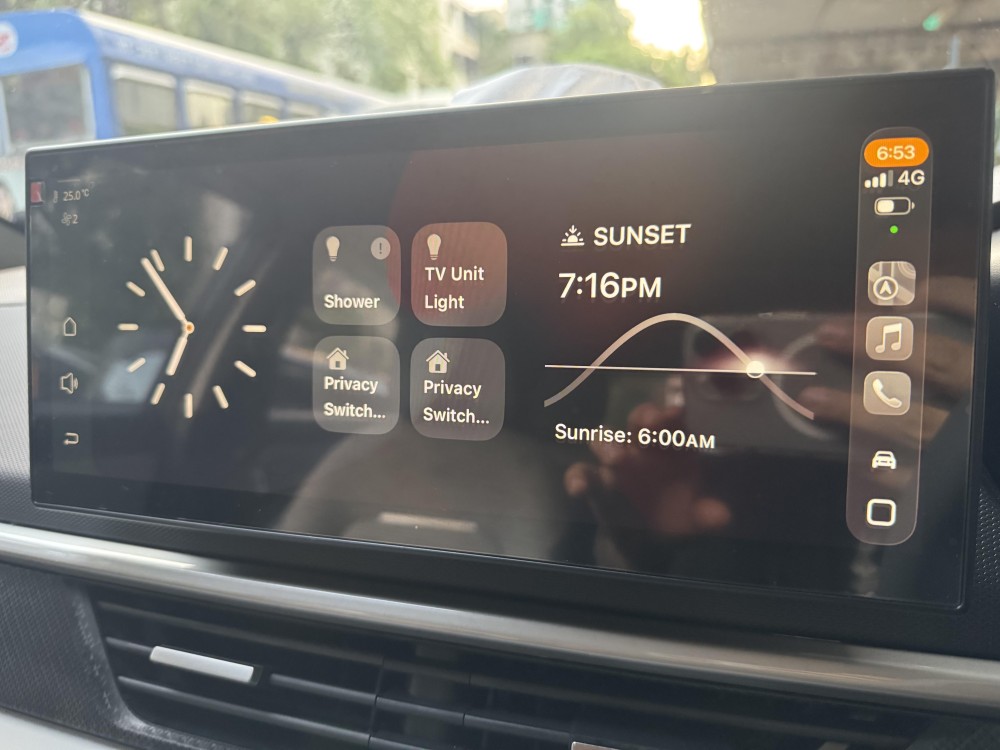
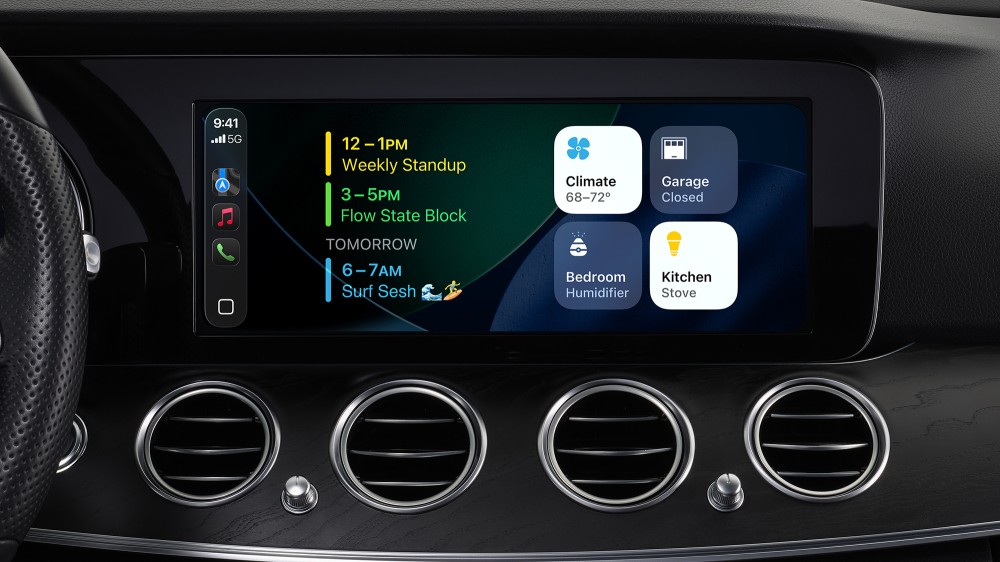
Widgets and Live Activities have been huge on iPhone for a while and they're finally in CarPlay. Apple started with two rows of widgets in iOS 26, then bumped it up to three rows in iOS 26.2. These widgets can show you what song's playing, your appointments for the day, or even start a route in Apple Maps. Some are more useful than others, but they give you more ways to interact with your car's system without a bunch of tapping.
Live Activities help you track stuff in real time. You can follow a family member's flight before picking them up, check the score of your team's game, see when your DoorDash order is getting to your house, or find out if your Starbucks is ready.
Basically, Apple added more ways to stay connected to important apps without getting distracted from driving. And since these features have been around on iPhone for a while, they work really well right out of the gate on iOS 26.
Video AirPlay Is Finally Here
Video streaming apps aren't available in CarPlay and probably never will be. But Apple made the car screen way more useful when you're parked. Starting with iOS 26, you can finally AirPlay video to the display. AirPlay's been around for audio forever, but this is the first time you can stream a YouTube video, Netflix show, or whatever else to your CarPlay screen.
Apple made it so you can only use the video feature when the car's parked, which makes sense. Same thing with other car systems like Tesla's Netflix app. Super handy when you're taking a break on a long drive, waiting for someone, or just want to show a video on a bigger screen than your phone.
CarPlay Ultra Gets Even Better
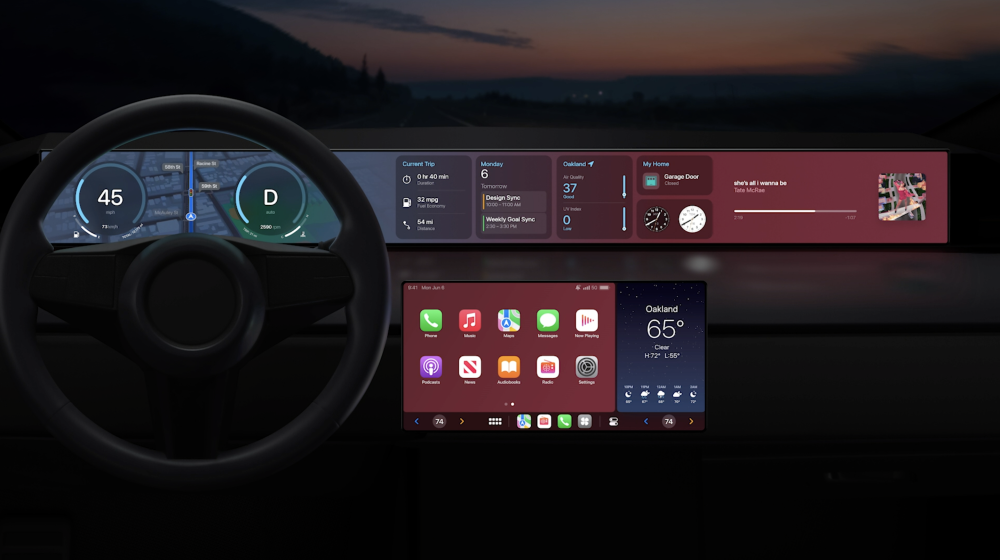
A bunch of carmakers are planning to release vehicles with CarPlay Ultra, but right now it's only on Aston Martin cars. All the CarPlay features mentioned above work on CarPlay Ultra too, but the functions and updated design get way more interesting on this souped-up platform.
CarPlay Ultra runs like iOS does on an iPhone. It's basically the brain of the whole car instead of just controlling one screen. Drivers get the full Liquid Glass experience across the entire system with even more customization. You can add widgets and live activities on every panel in the car. More rows of widgets and apps are available, and you can get stuff done with fewer taps, which is what really matters when you're behind the wheel. Apple says they want everything to look better and work smoother with the new Liquid Glass design.